
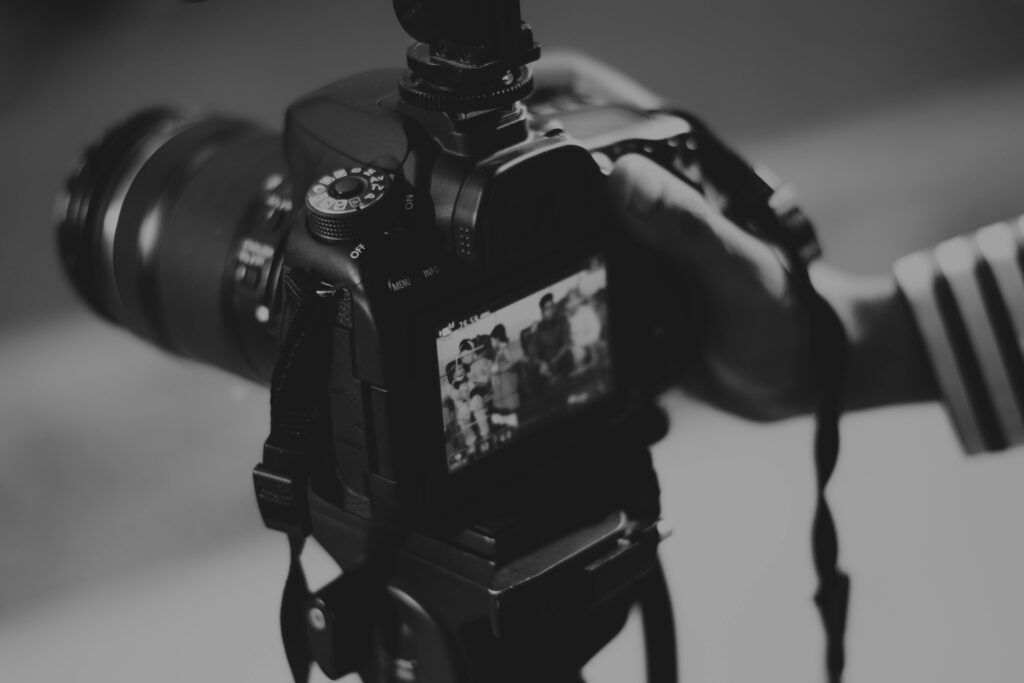
How to Film a YouTube Video: Complete 2025 Guide for Beginners
In today’s digital landscape, creating compelling YouTube videos has become an essential skill for content creators, marketers, and businesses alike. At IncRev, we understand the intricacies of video production and its pivotal role in SEO success. This guide will walk you through the key elements of filming high-quality YouTube videos that captivate your audience and boost your channel’s performance.
How to Film a YouTube Video: Step-by-Step Process
If you’re searching for how to film videos for YouTube, understanding the complete filming process is essential. Many creators ask, “how do you film a YouTube video from scratch?” Here’s a comprehensive breakdown of the filming workflow that professionals use in 2025.
Pre-production planning
Before you film a YouTube video, proper planning saves time and improves results. Start by scripting or outlining your content, ensuring you know exactly what to film for YouTube. Identify your filming location, gather props, and test your equipment. According to YouTube growth strategies 2025, retention hooks in the first 15-30 seconds of filmed content are critical, so plan your opening carefully.
Setup and technical checks
When learning how to film a video for YouTube, technical preparation is crucial. Set up your camera at the correct height and distance, position your lighting (covered in detail below), and conduct audio tests. Always record a 30-second test clip to verify your framing, focus, lighting, and sound before starting your main filming session.
Filming your content
To film a YouTube effectively, maintain energy and authenticity throughout recording. Speak clearly, make eye contact with the camera lens, and don’t be afraid to do multiple takes. Professional creators often film each section 2-3 times to ensure they capture the best performance. Remember to film extra B-roll footage—cutaway shots that add visual interest and cover edits seamlessly.
Post-filming review
After you film your YouTube video, review your footage immediately while your setup is still intact. This allows you to re-shoot any problematic sections before breaking down your filming space. Tools like PowerDirector for beginners make quick enhancements easy, and AI-driven video technology trends for 2025 including text-based editing can simplify your post-filming workflow significantly.
Choosing What to Film for YouTube: Content Ideas for Beginners
Wondering what to film for YouTube when you’re just starting? Focus on content that matches your expertise and audience needs. Popular beginner-friendly formats include tutorials and how-to videos, product reviews and unboxings, educational explainers in your niche, behind-the-scenes content, and personal vlogs that showcase your unique perspective. The key is consistency—pick a content type you can sustain long-term and that aligns with searchable topics in your field.
Best Equipment: What to Film YouTube Videos With in 2025
One of the most common questions beginners ask is “what to film youtube videos with?” The good news is that you don’t need thousands of dollars in equipment to start. Here’s a breakdown of essential gear organized by budget.
Camera options for every budget
For beginners learning how to film for YouTube on a tight budget, your smartphone is an excellent starting point. Modern smartphones with advanced stabilization offer surprisingly professional results, as confirmed by best vlogging cameras 2025 testing. Mid-range creators often upgrade to mirrorless cameras or dedicated vlogging cameras with flip screens. For professional-grade work, the Panasonic LUMIX GH7 is recommended as the top camera for YouTube in 2025 due to its pro-level videography features and internal recording capabilities.
| Budget Level | Camera Type | Price Range | Best For |
|---|---|---|---|
| Starter | Smartphone (iPhone 14+, Samsung S23+) | $0 (using existing) | Beginners, vlogs, talking-head content |
| Mid-Range | Sony ZV-E10, Canon M50 Mark II | $600-900 | Serious hobbyists, tutorial creators |
| Professional | Panasonic LUMIX GH7, Sony A7 IV | $1,800-2,500 | Full-time creators, cinematic content |
Essential accessories and support gear
When deciding what to film YouTube videos with, don’t overlook crucial accessories. A stable tripod or smartphone mount prevents shaky footage, an external microphone dramatically improves audio quality (detailed in the audio section below), and basic lighting equipment transforms video quality. According to YouTube equipment essentials 2025, versatile tools like LED lights and USB mics are must-haves for channel starters.
Establishing Your Unique Video Style
Your video style is the visual signature that sets your channel apart. It’s crucial to develop a consistent and recognizable aesthetic that resonates with your audience. Consider these key elements when crafting your style:
- Setting: Choose a location that aligns with your brand and message, whether it’s a professional studio or a cozy home office.
- Wardrobe: Your attire should reflect your channel’s personality and the nature of your content.
- Props: Thoughtfully selected props can enhance your storytelling and add visual interest.
- Background: A carefully curated background can reinforce your brand identity and create a cohesive look.
- Music: Select background music that complements your content and enhances the viewer’s experience.
Consistency in these elements will help viewers instantly recognize your content and foster a sense of familiarity and trust.
Mastering Framing and Shot Selection
The way you frame your shots can significantly impact the viewer’s perception of your content. Here are some key considerations:
The Frame
Ensure that the most critical elements of your video are prominently displayed within the frame. For vloggers, this typically means keeping yourself centered and well-lit. For tutorial or demonstration videos, focus on showcasing the subject matter clearly.
Types of Shots
Familiarize yourself with these three fundamental shot types:
- Wide Shot: Ideal for setting the scene or showcasing multiple subjects.
- Medium Shot: Versatile and suitable for most content types.
- Close Shot: Perfect for creating intimacy or highlighting details.
While it’s beneficial to vary your shots for visual interest, establish a primary “home base” shot that viewers will associate with your channel.
Setting Up Your Base Shot for Consistent Results
Your base shot is the primary framing you return to throughout your videos—it’s your visual anchor. For most YouTube creators, a medium shot (waist-up or chest-up) works best as a base shot because it balances personal connection with enough room for gestures and movement. To set up a professional base shot, position your camera at eye level or slightly above, frame yourself in the center or using the rule of thirds (slightly off-center), leave appropriate headroom (about a fist’s width above your head), and ensure your background is visible but not distracting. Mark your camera and floor positions with tape so you can recreate this exact framing in every video, building visual consistency that strengthens your brand recognition.
Illuminating Your Videos: The Art of Lighting
Lighting can make or break your video quality. Poor lighting can render even the best content unwatchable. Here’s what you need to know:
Types of Lighting
- Ambient Light: The natural or existing light in your filming environment.
- Direct Light: Intentional lighting aimed at your subject to eliminate shadows and enhance visibility.
Lighting Options
- Natural Light: Cost-effective but inconsistent. Consider using reflectors to maximize its effect.
- Fluorescent Lights: Commonly available but can be harsh. Use softboxes to diffuse the light.
- LED Lights: Energy-efficient and versatile, allowing for easy adjustment of brightness and color temperature.
- Ring Lights: Excellent for close-up shots and creating flattering, even lighting on faces.
- Reflectors: Useful for softening shadows and redirecting available light.
Lighting Setup
A basic three-point lighting setup can dramatically improve your video quality:
- Key Light: Your main light source, positioned at a 45-degree angle to your subject.
- Fill Light: A softer light placed opposite the key light to reduce shadows.
- Back Light: Positioned behind the subject to create depth and separation from the background.
Capturing Crystal-Clear Audio
High-quality audio is just as crucial as video quality. Follow these tips to ensure your audience hears you loud and clear:
Soundproofing Your Environment
- Eliminate background noise from appliances, traffic, or neighboring rooms.
- Reduce echo by adding soft furnishings or professional acoustic panels.
- Conduct a test recording to identify and address any audio issues before filming.
Choosing the Right Microphone
- Shotgun Mic: Excellent for capturing audio from a specific direction.
- Lavalier Mic: Discreet and ideal for on-the-go recording or interviews.
- USB Microphone: A versatile option for desktop recording setups.
- Smartphone Mic: A budget-friendly option that can produce surprisingly good results when used correctly.
How to Film for YouTube on a Budget: Money-Saving Tips
Learning how to film a YouTube video doesn’t require breaking the bank. Start with your smartphone and a basic tripod—together these cost under $30 if you already own the phone. Use free natural window light during daytime filming instead of buying lights immediately. For audio, a wired lavalier microphone ($20-40) delivers vastly better sound than built-in mics. Film in smaller, quieter rooms to naturally reduce echo without acoustic treatment. Leverage free editing software like DaVinci Resolve or CapCut instead of expensive subscriptions. As your channel grows and generates revenue, reinvest in incremental upgrades: better microphone first (biggest impact), then lighting, then camera body. This staged approach lets you film a YouTube video professionally without upfront financial risk.
Elevating Your YouTube Success with IncRev
While mastering these techniques will significantly improve your video quality, partnering with an SEO agency like IncRev can take your YouTube success to new heights. Our expert team can help you:
- Optimize your video titles, descriptions, and tags for maximum searchability.
- Develop a content strategy that aligns with current SEO best practices.
- Analyze your channel’s performance and implement data-driven improvements.
- Create a comprehensive YouTube marketing plan to grow your audience and engagement.
By combining your newfound video production skills with IncRev’s SEO expertise, you’ll be well-equipped to create content that not only looks and sounds great but also ranks well and attracts your target audience.
Conclusion
Creating high-quality YouTube videos requires attention to detail, practice, and the right tools. By focusing on establishing a unique style, mastering framing and shots, perfecting your lighting setup, and capturing clear audio, you’ll be well on your way to producing professional-grade content. Remember, consistency is key—stick to your chosen style and continuously refine your skills to build a loyal audience and grow your channel.
Frequently Asked Questions
What equipment do I need to start making YouTube videos?
To begin, you’ll need a camera (which can be a smartphone), a microphone for clear audio, and basic lighting equipment. As you progress, you can invest in more advanced gear like DSLR cameras, professional lighting kits, and high-end microphones.
How often should I post new videos on my YouTube channel?
Consistency is more important than frequency. Start with a schedule you can maintain, whether it’s weekly, bi-weekly, or monthly. As you build your audience and streamline your production process, you can increase your posting frequency.
How can I make my videos more engaging?
Focus on creating valuable content that addresses your audience’s needs or interests. Use storytelling techniques, incorporate visuals and graphics, and maintain a conversational tone. Encourage viewer interaction by asking questions and responding to comments.
What’s the ideal length for a YouTube video?
The optimal length depends on your content and audience. Generally, aim for 7-15 minutes for most topics. However, tutorial videos or in-depth discussions can be longer if the content warrants it. Always prioritize quality and engagement over arbitrary length.
How can I improve my video’s SEO on YouTube?
Optimize your video titles, descriptions, and tags with relevant keywords. Create compelling thumbnails, use closed captions, and organize your videos into playlists. Encourage engagement through likes, comments, and shares, as these factors influence YouTube’s algorithm.
How do you film a YouTube video from scratch as a complete beginner?
Start by planning your content and script, set up your camera (smartphone works fine) on a stable surface or tripod, position yourself in good lighting near a window, test your audio with an external microphone if possible, record a test clip to check everything, then film your full content in short segments. Review and re-shoot any weak sections before editing.
What are some easy ideas for what to film for YouTube?
Easy beginner ideas include tutorials teaching a skill you know, product reviews or unboxings, daily vlog-style content, “how-to” guides in your area of expertise, Q&A videos answering common questions in your niche, and reaction or commentary videos on trending topics. Choose topics you’re passionate about and that have searchable demand.
How can I set up a base shot for consistent YouTube filming?
Position your camera at eye level, frame yourself in a medium shot (chest or waist up), use the rule of thirds to place yourself slightly off-center, leave a fist’s width of headroom above your head, ensure your background is clean and on-brand, mark your camera position and floor position with tape, and take a reference photo to recreate the exact setup every time you film.
How to film a YouTube video with just a smartphone?
Clean your smartphone lens, shoot in horizontal (landscape) orientation, use a phone tripod or stable surface, film near a window for natural light, enable gridlines to help with framing, use your phone’s native camera app or a dedicated video app, connect an external microphone (even a wired earbud mic helps), and film in the highest quality setting your phone offers. Edit using free mobile apps like CapCut or InShot.
What equipment should beginners use to film YouTube videos in 2025?
Essential beginner equipment includes a smartphone or entry-level camera (Sony ZV-E10 or Canon M50 Mark II), a basic tripod ($20-50), an affordable external microphone like a Rode VideoMicro ($60) or USB mic for desktop recording, a simple LED panel light or ring light ($30-80), and free editing software like DaVinci Resolve. This complete starter setup costs $100-300 if you already own a capable smartphone, or $700-1,000 with a dedicated camera.